Turn Long Videos into
Viral Shorts in Seconds.
AI detects viral moments using Google Gemini 3.1 Flash. Auto reframes to 9:16 vertical with real-time face tracking, burns dynamic karaoke subtitles, and our exclusive "Generate AI Short" tool creates complete videos from just a topic or script.
✓ 1 full project trial · No credit card required · High-performance GPU priority
Includes step-by-step guidance for Windows Developer Mode & macOS Security settings.
Everything you need to scale short-form video
Click any tab below to inspect the AI engines and workflow tools in action.
Instant viral segments without scrubbing
Google Gemini 3.1 Flash analyzes complete transcripts against visual scene cuts, scoring each segment for emotional punch, humor, and hook strength.
- 3 to 15 viral clips extracted automatically per video
- Word-level faster-whisper timestamps prevent cutting mid-sentence
- Generates high-engagement hook text overlays for social algorithms
- Included in both Starter ($11/mo) and Pro ($25/mo)
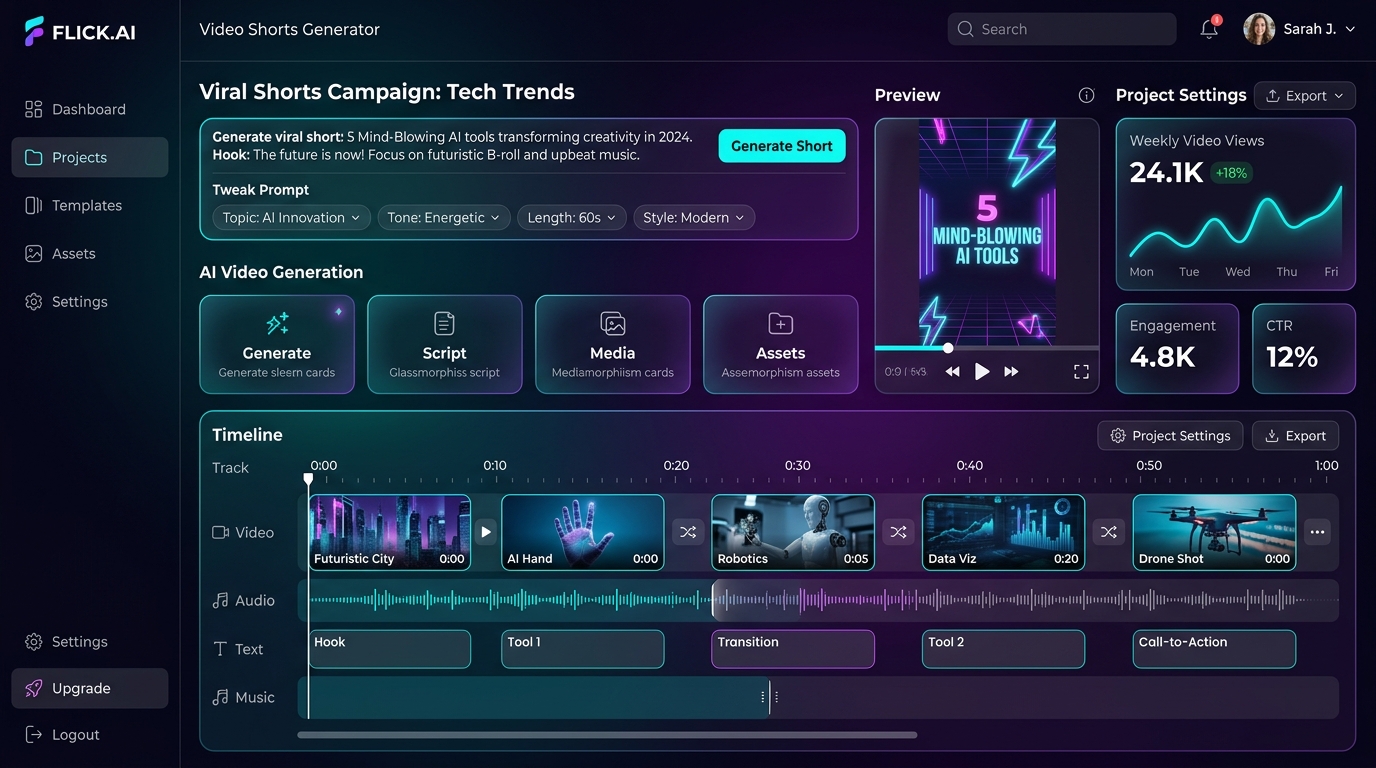
"Generate AI Short" — From Topic to Video
No raw footage? Simply enter a topic or paste your script. AI writes the narration, auto-fetches matching royalty-free B-roll from Pexels, Pixabay, and Coverr, synthesizes realistic voiceover, and delivers a fully produced short video.
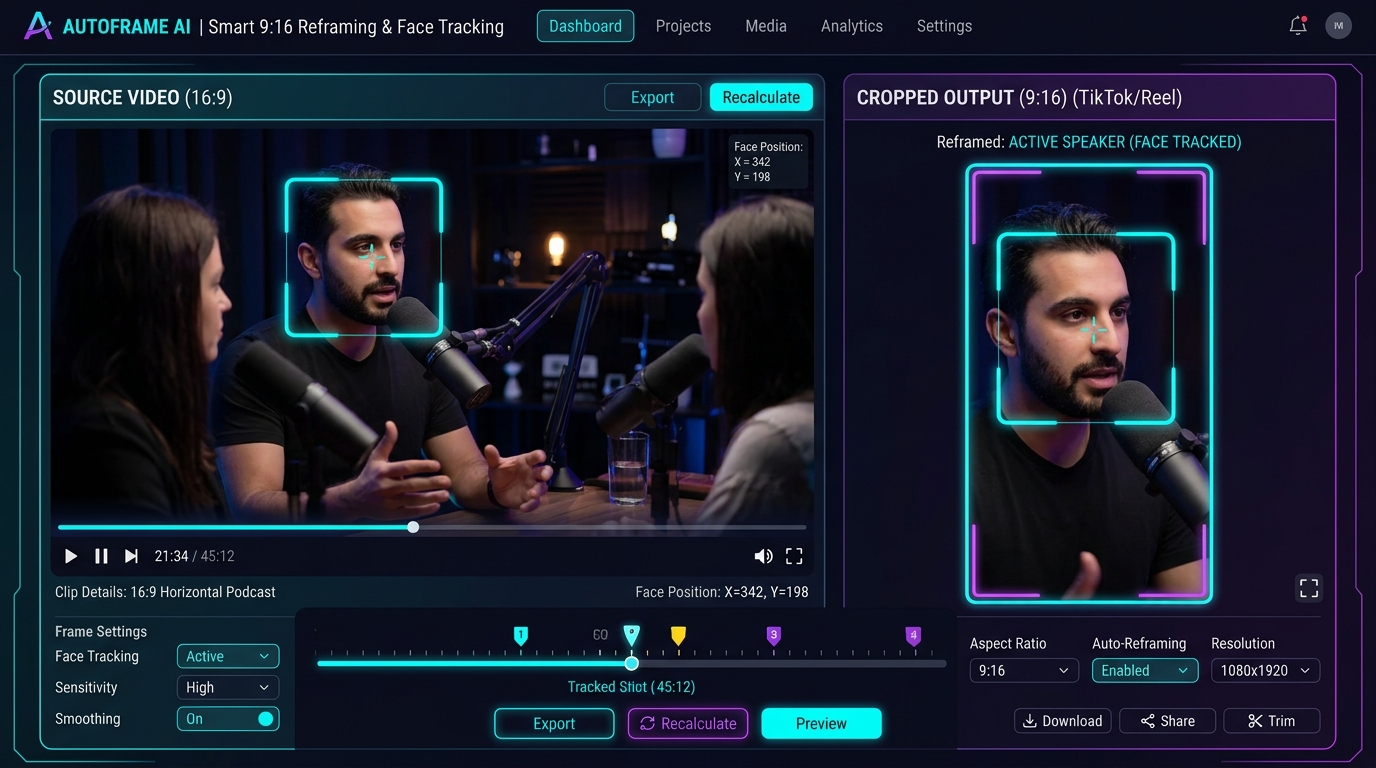
Face Tracking & Multi-Speaker Layouts
Starter includes TRACK mode (MediaPipe active speaker tracking with heavy tripod smoothing) and GENERAL mode (panoramic blur).
Pro adds multi-speaker production layouts:
- Split-Screen Layout: Stacks host on bottom and guest on top for podcasts
- Screencast Layout: Dynamic pan-and-zoom on slides and webinars
- Camera-Inset Layout: Keeps streamer facecam over gameplay or presentations
Burn captions onto any video directly
Have a video already finished? You don't need to run the whole AI clipping pipeline. Drop any video into our Standalone Subtitle Tool and burn animated karaoke captions in seconds.
- Included in both Starter ($11/mo) and Pro ($25/mo)
- Hormozi, MrBeast, and Minimal animated styles
- Pro allows custom fonts, custom positioning, and saving style presets
- Export hardcoded MP4 or downloadable SRT / ASS files
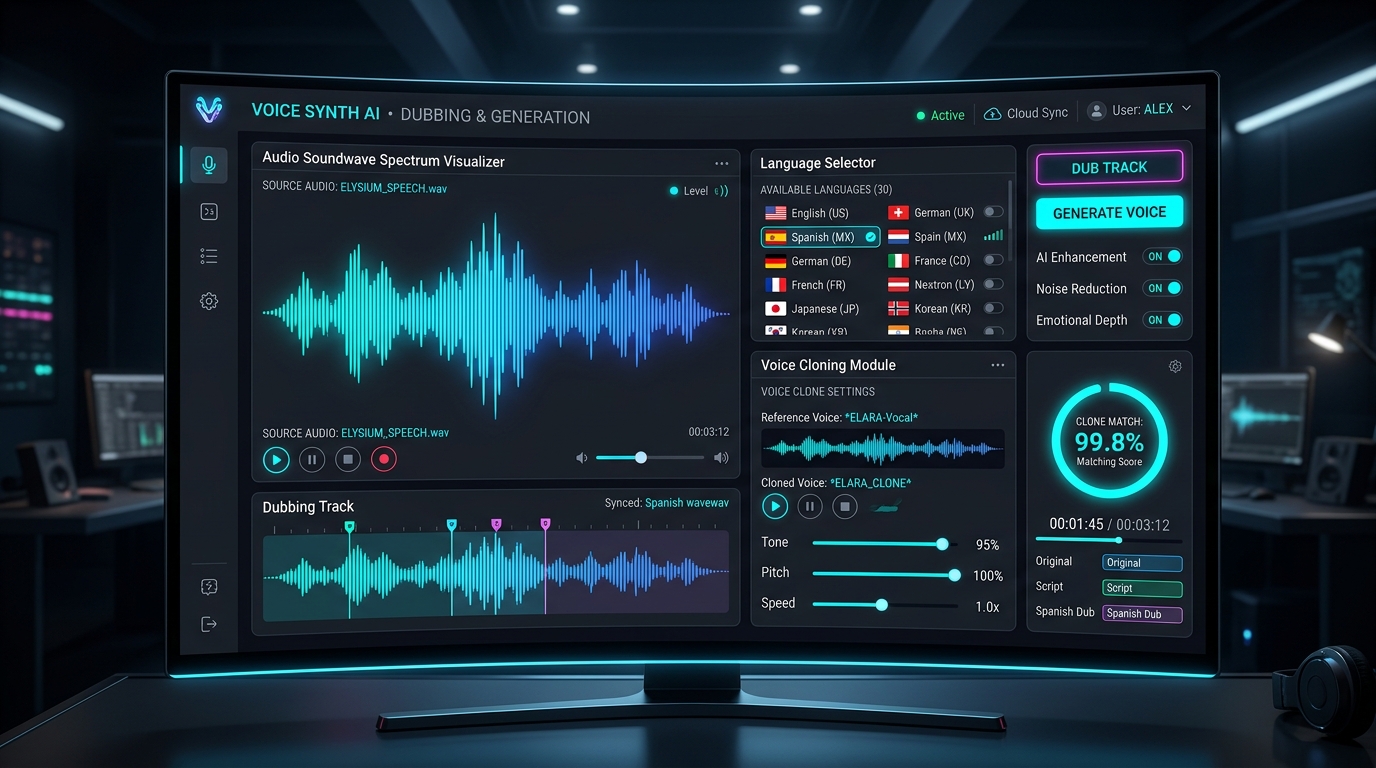
Kokoro TTS, Voice Cloning & 30+ Languages
Scale your content globally with neural voice models built right into Nextora Clips Pro:
- Kokoro Fast TTS: Ultra-fast 82M open speech engine with realistic human cadence
- Chatterbox Voice Cloning: Clone your own voice from a 10-second reference audio
- 30+ Language AI Dubbing: Translate into Spanish, French, Hindi, German while preserving your original vocal timbre
Native CUDA & Apple Silicon MPS Priority
Process your videos locally on your machine without cloud waiting queues or bandwidth throttling. The desktop app automatically prioritizes your local GPU:
- Windows: NVIDIA CUDA (RTX/GTX) for 10x faster PyTorch inference & rendering
- macOS: Apple Silicon Metal (M1/M2/M3/M4) via MPS acceleration
- Both Mac and Windows apps included in Starter and Pro plans
One horizontal video in. Viral vertical shorts out.
Watch how our dual AI crop keeps the subject framed with natural, professional camera motion.
Simple plans for every creator
Start with our 7-day free trial. Upgrade anytime to unlock unlimited video lengths & Pro AI tools.
7-Day Free Trial
1 ProjectTest the full pipeline on your actual video before subscribing.
- 1 Full Project to test all features
- AI viral moment detection (Gemini 3.1)
- YouTube import & local video upload
- Smart 9:16/1:1/16:9 reframing (TRACK & GENERAL)
- Auto subtitles (basic) & hook overlays
- Standalone Subtitle tool included
- Mac & Windows desktop app (CUDA/MPS auto)
Starter Plan
20 ProjectsFor creators maintaining a weekly publishing schedule.
- 20 projects per month
- Source video up to 60 minutes
- AI viral moment detection (Gemini 3.1)
- YouTube link import & local video upload
- Smart 9:16/1:1/16:9 reframing (TRACK & GENERAL)
- Auto subtitles (basic style) & Hook overlays
- Standalone Subtitle tool (caption any video)
- Mac & Windows desktop app with GPU priority
Pro Plan
100 ProjectsFor power creators, agencies, and channels publishing daily.
- 100 projects per month
- Video length UNLIMITED (no 60-min cap)
- Advanced layouts: Split-screen, Screencast, Inset
- Advanced captions: Custom fonts, position, size, presets
- B-roll insertion: Auto visual cutaways
- AI Voice Dubbing: 30+ languages, original voice preserved
- Voice Generator tool: Kokoro TTS + Chatterbox cloning
- "Generate AI Short" tool: Topic → script → stock video
| Plan Features Breakdown | 7-Day Trial | Starter ($11/mo) | Pro ($25/mo) |
|---|---|---|---|
| Monthly Project Quota | 1 Project | 20 Projects | 100 Projects |
| Source Video Length | Up to 30 mins | Up to 60 mins | Unlimited |
| AI Viral Moment Detection (Gemini 3.1) | ✓ | ✓ | ✓ |
| YouTube Import & Local Video Upload | ✓ | ✓ | ✓ |
| Smart 9:16/1:1/16:9 Reframing (TRACK & GENERAL) | ✓ | ✓ | ✓ |
| Auto Subtitles & Hook Text Overlays | Basic style | Basic style | Custom fonts & styles |
| Standalone Subtitle Tool (No pipeline needed) | ✓ | ✓ | ✓ (Save presets) |
| Desktop App GPU Acceleration (CUDA / MPS) | ✓ | ✓ | ✓ (Priority queuing) |
| Advanced Reframing (Split-Screen, Screencast, Inset) | — | — | ✓ Included |
| B-Roll Insertion (Auto Cutaways) | — | — | ✓ Included |
| AI Voice Dubbing (30+ Languages, Voice Preserved) | — | — | ✓ Included |
| Voice Generator (Kokoro TTS + Chatterbox Voice Clone) | — | — | ✓ Included |
| "Generate AI Short" Tool (No source video needed) | — | — | ✓ Full Access |
Frequently Asked Questions
Everything you need to know about Nextora Clips, trials, and desktop processing.